email alias

How do I add an email alias?

1. Log in to your Zoho Mail Admin Console.

2. Navigate to 
Users section in the left pane of the admin console.

3. Select the user for whom you'd like to set up the email alias.

4. Click on Mailbox Settings from the left pane of the user's page and select Email Alias 
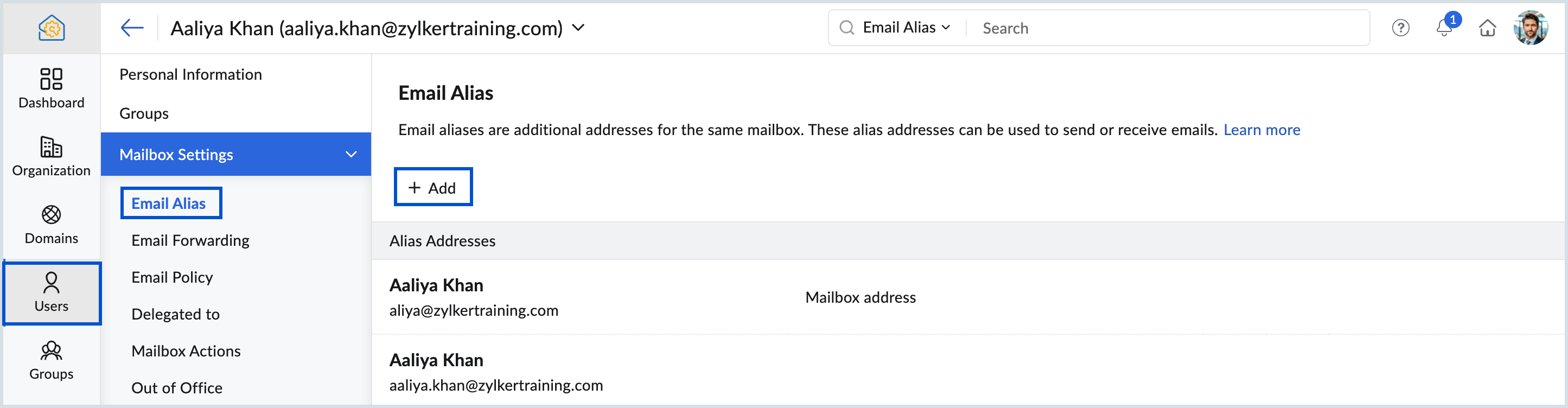

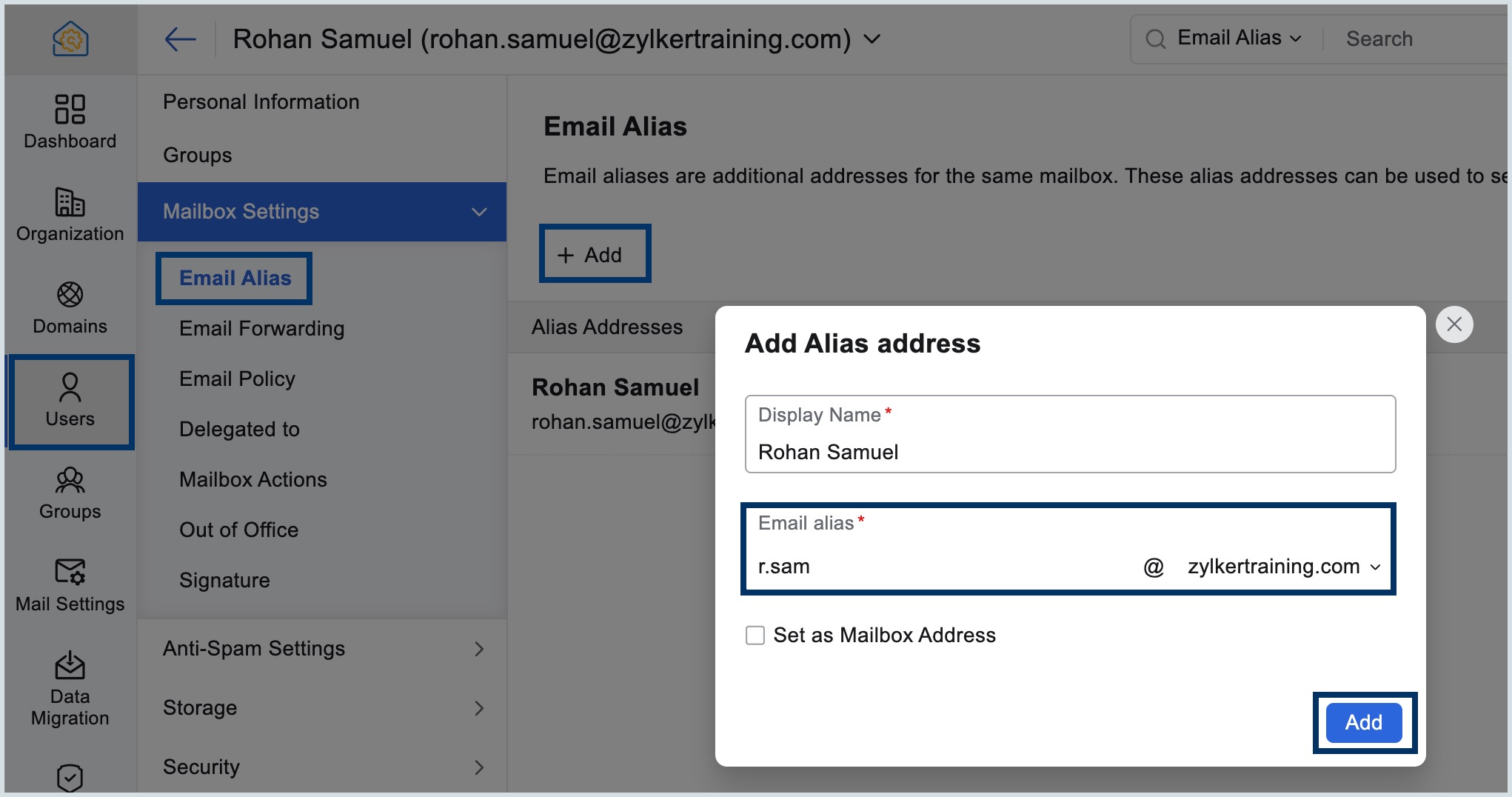
5. Click Add icon and provide an Alias username and then choose the domain using which you want to create the alias.

6. Select the checkbox "Set as Mailbox Address"  below the Email alias field to change the alias email address as the primary mailbox address.

7. Click Add. For more details, visit our help page.


If you want new email ID as Login Email ID

8. After setting the new email as the primary mail box. Follow this path (Security=>Login Email Address)


9. Click on the star beside the new email Id and click "change" .


    • Related Articles

    • How to Add Users in Zoho Admin Console

      1. Login to Zoho Admin Console Go to: https://admin.zoho.com Sign in with Admin credentials. 2. Navigate to Users Section On the left panel, click on: Users > All Users 3. Click “Add User” Click on the “+ Add User” button on the top right. 4. Fill in ...
    • How to collect email header files from Zoho Mail.

      Login to Zoho Mail: https://mail.zoho.com Open the email for which you want the headers. Click the three dots (⋮) in the top-right corner of the email window. Select “Show Original”. A new window opens displaying the full message source including ...
    • How to Release Emails from Quarantine in Zoho Mail

      ? Step-by-Step to Release Quarantined Emails: Login to Zoho Mail: https://mail.zoho.com Go to Settings (gear icon at top-right). Navigate to: Email Administration > Spam Control > Quarantine You’ll see quarantined emails listed. Click on the message ...
    • How to configure outlook account for zoho account

      Steps to Configure Zoho Mail account as IMAP in Outlook for Windows 1. Log in to your Zoho mail account to enable IMAP access. (Login to www.zoho.com/mail >> Settings >> Mail Accounts >> IMAP Access >> Enable IMAP Access by clicking the checkbox). 2. ...
    • Zoho Admin Console

      The Zoho Admin Console is the centralized management dashboard for administrators to manage users, apps, security, and settings within Zoho Workplace and Zoho One environments. It is similar to admin portals like Google Admin or Microsoft 365 Admin. ...